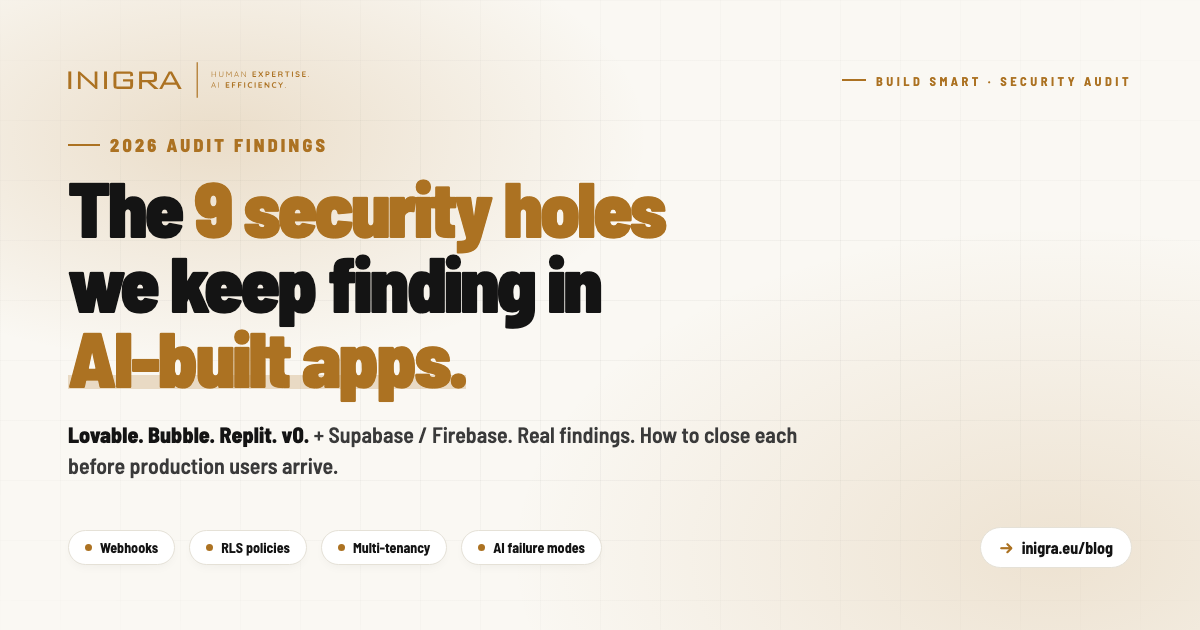
Nine recurring security holes we find in apps built with Lovable, Bubble, Replit, v0 + Supabase/Firebase. Six of them are variants of one mistake: trusting the client. Unverified webhooks, privileged endpoints with no auth, RLS policies that let users promote themselves to paid, multi-tenant promises with single-user data models, AI features that crash silently when credit runs out. None are exotic. All are invisible in a demo, fatal in production. Findable in an afternoon by someone who looks server-side.
We get called in a lot to take an app that "already works" and get it ready for real customers and real data. These apps are increasingly built in tools like v0, Lovable, Bubble and Replit, wired to Supabase or Firebase, with payments and email bolted on. The tools are genuinely good at producing something that runs. What they are not good at is producing something that holds up the day a paying customer — or an attacker — touches it.
The same handful of holes show up almost every time. None of them are exotic. All of them are the kind of thing that never surfaces in a demo, because a demo has one friendly user clicking the happy path. They surface the moment you have two users, money, and someone who reads your network tab.
Here are the nine we find most often, why they happen, what they cost, and how to close them. The examples below are composites — patterns we see repeatedly, not any one project.
1.The payment webhook that trusts anyone
Pattern. Your payment provider calls a webhook to tell your app "this order completed — upgrade this user." The generated code wires up the endpoint and reads the payload, but the signature check is left as a // TODO or skipped entirely. The webhook believes whatever it is sent.
Why it happens. Signature verification is fiddly, provider-specific, and adds nothing visible to the demo. The happy path works without it, so it gets deferred and forgotten.
What it costs. Anyone who learns the URL can POST a fake "order completed" event and grant themselves — or anyone — a paid plan without paying. The same forged call can cancel a competitor's subscription. And because these handlers usually run with elevated database rights to write across accounts, the forged request bypasses your row-level security entirely.
How to close it. Verify the provider's signature on every webhook before you act on the body, using the signing secret from your provider dashboard. Reject anything that fails. Treat the webhook payload as hostile input, because it is reachable by the whole internet.
2.The "send to everyone" endpoint with no lock on the door
Pattern. There is an internal endpoint that sends the newsletter, or a broadcast, to your whole list. It works. It also has no authentication — any POST from anywhere triggers it.
Why it happens. During the build, the only person calling it is the admin, from the admin screen, so it never occurred to anyone that the endpoint itself is publicly reachable. The protection lived in "you have to be on the admin page to click the button" — but the button just calls a URL, and the URL does not care where you came from.
What it costs. A stranger can send any content to your entire confirmed subscriber list, from your sending domain. That is phishing in your brand's name, your email provider's limits and bill blown, and your domain's deliverability reputation burned — which is slow and painful to rebuild.
How to close it. Every endpoint that does something privileged must check that the caller is authorised on the server, independent of the UI. "The button is only on the admin page" is not access control.
3.Users who can promote themselves to paid
Pattern. Your access-control policy lets a logged-in user update their own profile row — sensible enough. But it lets them update any column on that row, including subscription_status or plan. So a user can open the browser console and set their own plan to "enterprise" for free.
Why it happens. The generated row-level-security policy says "a user may update their own record." That is correct for name and avatar. It is a disaster for the billing fields that happen to live on the same record.
What it costs. Straight revenue leak, and an integrity problem — you can no longer trust that "plan = paid" in your database means anyone paid. The users who find this rarely tell you.
How to close it. Billing state must only ever be written server-side, off the back of a verified payment event — never by the user, even on their own row. Either restrict which columns the user-facing policy can touch, or move subscription fields to a table the client cannot write to at all. The principle: the client may describe itself, but it may not declare what it has paid for.
We audit AI-built apps before they hit production
Fixed-price, read-only review. Server-side, the way an attacker would. Written report with each finding, severity, and a concrete fix. From £1,000 / $1,300 / €1,150.
Book a free 30-min audit chat4.Multiple admin checks, none of them agreed
Pattern. Different parts of the app decide "is this person an admin?" in different ways. One route checks profiles.is_admin. Another checks profiles.role. A third checks a separate admin_users table. Some of those columns don't even exist in the migrations — they were added by hand in the dashboard, so the real behaviour depends on database state that isn't in the code at all.
Why it happens. The app was built incrementally by an AI across many sessions, each one inventing its own admin check without reconciling against the last. The schema drifted from the code because someone patched the live database directly to make a screen work.
What it costs. Access control you cannot reason about or audit. Some admin routes may be silently wide open; others may be locked shut; and which is which depends on undocumented manual edits. For anything handling other people's data, "we're not sure how admin is actually enforced" is not a state you can launch in.
How to close it. One definition of "admin," in one place, enforced server-side, and represented in your migrations so the code is the source of truth. Then delete the other two. And reconcile the live schema against the migrations — if the database has columns the code doesn't, you don't actually know what your security depends on.
5.Locked content that isn't actually locked
Pattern. Premium files show a lock icon to free users. But the API that lists them returns the real, downloadable file URL in the response regardless — the lock is purely visual. And the files themselves sit in public storage, so the URL is all anyone needs.
Why it happens. Gating in the UI is easy and looks done. The API was written to return the whole object, lock flag and all, and nobody checked what a free user could see by reading the raw response instead of the rendered page.
What it costs. Your paid content is free to anyone who opens the network tab, or who is handed a link. If selling that content is the business model, the business model is open.
How to close it. Enforce entitlement on the server: a user who isn't entitled gets no file URL in the response, full stop. Put the files behind access-controlled, time-limited (signed) URLs rather than permanently public ones. The rule: never send the client data it isn't allowed to have and rely on the client to hide it.
6."Multi-tenant" that is really single-user
Pattern. The product is sold as a B2B tool where a company's data is isolated from other companies. Under the hood, every row is tied to an individual user account, and "company" is just a free-text field on the profile. There is no concept of an organisation, no membership, no shared-but-isolated company data.
Why it happens. Generating per-user data isolation is straightforward and the tools do it by default. Real multi-tenancy — organisations, members, roles, data scoped to the org and shared across its users while walled off from other orgs — is architecture, and it doesn't emerge from prompting feature by feature.
What it costs. The core promise — "your company's data is isolated from other companies, and your colleagues share it" — isn't met. You either can't onboard a company with multiple users properly, or you bolt on something fragile under pressure later. This is the most expensive item on the list to retrofit, because it touches the data model everything else sits on.
How to close it. Decide early whether one customer means one user or one organisation with many users. If it's the latter, build the tenant model deliberately — organisations, memberships, and access rules scoped to the org — before real customers arrive. Retrofitting tenancy after you have live data is a migration, not a patch.
We also migrate AI-built apps to production-grade code
If the audit finds more than a few holes, we can rebuild the parts that need it — without throwing away what already works. Lovable, Bubble, Replit → production code. From £1,000.
Read the migration cost guide7.Lost leads, silently
Pattern. A contact or enquiry form saves to the database. The save fails — often because the code is writing columns the table doesn't have (see the schema drift in #4) — but the handler catches the error, logs it to the console, and returns "success" to the user anyway. The visitor sees a thank-you message. The enquiry is gone.
Why it happens. Defensive "always return success so the UI doesn't break" error handling, combined with a schema that has drifted from the code so writes quietly fail.
What it costs. Incoming business vanishing with no trace and no error — the worst kind of bug, because nothing alerts you and the customer thinks they reached you. For a company whose pipeline comes through that form, you are losing revenue you will never know you had.
How to close it. Never report success on a failed write. Surface real failures, alert on them, and fix the underlying schema drift so writes succeed in the first place. Reconcile what the code writes against what the database actually has.
8.Row-level security that's switched on but set to "allow all"
Pattern. Row-level security is enabled on the table, which looks reassuring in the dashboard — the toggle is green. But the policy on it is effectively USING (true) or WITH CHECK (true): it permits every row to everyone. So a table that appears protected is, in practice, world-readable or world-writable through the public API key. A common version is an enquiry or leads table with an insert policy of WITH CHECK (true), which lets anyone write arbitrary rows straight through the anonymous key.
Why it happens. Turning RLS on and writing a correct policy are two separate steps, and the tools (or a human under time pressure) often do the first and stub the second with a permissive placeholder to make the feature work, meaning to tighten it later. "RLS: enabled" then reads as "secured" when it isn't. It's worse than no RLS, because it gives false confidence.
What it costs. Whatever the table holds is exposed to anyone with your public key, which ships in the browser — so, effectively, to the internet. Customer records readable, leads tables writable and spammable, data you believed was walled off sitting open. And because the toggle says "on," nobody goes looking.
How to close it. Don't trust the enabled flag — read the actual policies. Every policy needs a real condition that scopes rows to who should see or change them (the owning user, the owning organisation), never a blanket true. Audit each table for what an anonymous caller and a logged-in non-owner can actually do through the public key, and write the negative tests that prove they can't.
9.The AI feature that crashes when the account runs dry
Pattern. The app calls an external AI model for its core feature — drafting replies, summarising, classifying. When the provider account hits a spending cap, an expired card, or a rate limit, the API call fails. The code doesn't handle that failure, so the request either throws an unhandled error and 500s, or fails silently and returns nothing — and the user is left with a broken feature and no explanation.
Why it happens. During the build the account has credit and the call always succeeds, so the failure branch never gets exercised or written. Out-of-credit, rate-limited, and provider-outage responses are all error states that don't show up in a happy-path demo, so they're never coded for.
What it costs. Your headline feature dies the moment billing lapses or usage spikes — silently, in front of real users, with no error surfaced and nothing telling you it's happening. A spike in genuine usage can trip the cap and take the feature down exactly when it's most in demand. You find out from a confused customer, not a monitor.
How to close it. Treat every external AI call as something that can fail, and handle it explicitly: catch the error, show the user a clear "this didn't go through, try again shortly" message rather than a crash or silence, and log and alert so you know the moment it starts. Watch the provider balance and rate limits, and where it matters, degrade gracefully — queue the work, or fall back — rather than leaving a dead button.
The thread running through all of these
Six of these nine are the same mistake wearing different clothes: trusting the client. The webhook trusts its caller. The send endpoint trusts whoever hits the URL. The profile update trusts the browser to be honest about its plan. The locked file trusts the UI to hide what the API already sent. The admin check trusts state that lives outside the code. And the "allow all" RLS policy trusts that nobody will use the public key the way it's actually allowed to be used. Demos pass because the one person clicking is trustworthy. Production is the condition of not being able to assume that.
The other three — the missing tenant model, the silent data loss, and the unhandled AI failure — are what you get when an app is assembled feature by feature without anyone holding the whole shape in their head: the architecture never gets designed, the seams quietly fail, and the unhappy paths never get written.
None of this is an argument against building fast with these tools. They are a genuinely good way to get to something real quickly, and we use AI heavily in our own delivery. It is an argument for one specific thing: before an AI-built app meets real users and real data, have someone who builds production systems for a living read it — server-side, the way an attacker would, not the way a demo does. The holes are findable in an afternoon. They are a lot cheaper to close before the data goes in than after.
FAQ
What are the most common security vulnerabilities in AI-built apps?
The nine we find most often in apps built with Lovable, Bubble, Replit, v0 + Supabase/Firebase: payment webhooks without signature verification, privileged endpoints with no server-side auth check, RLS policies that let users update their own subscription_status or plan, multiple inconsistent admin checks, premium content gated only in UI while the API returns full file URLs, single-user data isolation sold as multi-tenant, form handlers that report success on failed writes, RLS enabled but with permissive USING(true) policies, and external AI calls without error handling when the provider account runs dry.
How do I secure a Lovable, Bubble, or Replit app before launching to real customers?
Read the app server-side, the way an attacker would, not the way a demo does. Verify every webhook signature. Require server-side auth on every privileged endpoint. Restrict which columns user-facing RLS policies can write to (especially billing fields). Consolidate admin checks into one definition in the code. Enforce entitlement on the server before returning file URLs. Decide whether your tenant model is per-user or per-organisation before real customers arrive. Never report success on failed database writes. Audit RLS policies for permissive USING(true). Handle every external AI call as something that can fail. A read-only security and architecture audit takes an experienced engineer about an afternoon.
Is Supabase row-level security enough to protect my app?
Enabling RLS on a table is not the same as securing it. The dashboard's green toggle means the feature is on, but the actual policy might be USING(true) or WITH CHECK(true) — which permits every row to everyone. That table appears protected but is in practice world-readable or world-writable through the public API key, which ships in the browser. Audit each table for what an anonymous caller and a logged-in non-owner can actually do, and write negative tests that prove they cannot. The enabled flag means nothing without a real condition on the policy.
Why do AI code generators produce insecure code?
AI tools are good at producing something that runs. They are not good at producing something that holds up the day a paying customer — or an attacker — touches it. Signature verification on webhooks is fiddly and adds nothing visible to the demo, so it gets deferred. Permissive RLS policies make features work during prototyping. Admin checks get reinvented across sessions without reconciling. Multi-tenancy is architecture and does not emerge from prompting feature by feature. The unhappy paths — out-of-credit AI, failed writes, forged webhooks — never show up in the happy-path demo the AI is optimising for.
How much does a security audit of an AI-built app cost?
At Inigra, a fixed-price read-only security and architecture audit starts from £1,000 / $1,300 / €1,150 for small apps (10–20 endpoints, single tenant). Larger apps with multi-tenant data, payments, and complex permissions land between £2,500 and £5,000. We deliver a written report with each finding, severity, and a concrete fix — usually within 5 working days of getting read access to the codebase and Supabase/Firebase project.
What is the difference between per-user data isolation and real multi-tenancy?
Per-user isolation means every row is tied to one user account — straightforward, and what no-code tools generate by default. Real multi-tenancy means organisations with multiple members, roles, and data scoped to the org and shared across its users while walled off from other orgs. The two are architecturally different. If you sell a B2B product, decide which one you need before real customers arrive. Retrofitting tenancy after live data exists is a migration, not a patch, and it touches the data model everything else sits on.
What is the single biggest security risk in AI-built apps?
Trusting the client. Six of the nine most common vulnerabilities are variants of the same mistake: the webhook trusts its caller, the privileged endpoint trusts whoever hits the URL, the profile-update policy trusts the browser to be honest about which plan a user is on, the locked-file UI trusts the API to hide what it already sent, the admin check trusts state that lives outside the code, and the permissive RLS policy trusts that nobody will use the public key the way it is actually allowed to be used. Demos pass because the one person clicking is trustworthy. Production is the condition of not being able to assume that.
Want us to read your app the way an attacker would?
Paweł Reszka, Founder & CTO at Inigra
pawel.reszka@inigra.eu · LinkedIn